Guide
Mac Keyboard Symbols: What ⌘ ⌥ ⌃ ⇧ Mean
Updated
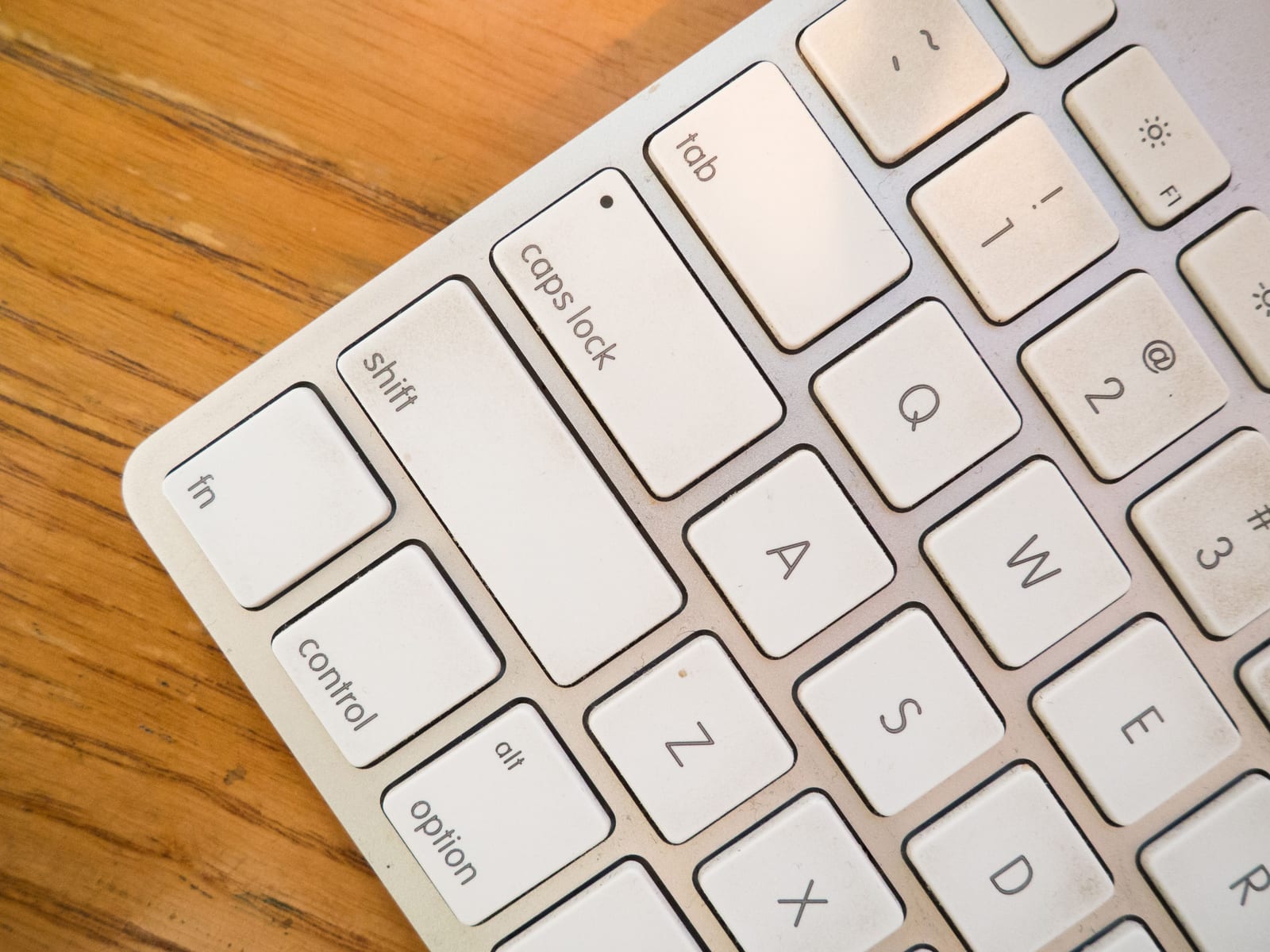
Mac keyboard symbols are shorthand for the modifier keys: ⌘ is Command, ⌥ is Option (labelled Alt on some keyboards), ⌃ is Control, and ⇧ is Shift. macOS menus print these symbols instead of words so an entire shortcut fits in a few characters - ⌘⇧4 means hold Command and Shift, then press 4.
The four modifier symbols
These four account for almost every shortcut you’ll meet.
| Symbol | Key | Also written | What it does |
|---|---|---|---|
| ⌘ | Command | Cmd | The primary Mac modifier - ⌘C, ⌘V, ⌘S |
| ⌥ | Option | Alt | Variants and alternates - ⌥click, ⌥→ |
| ⌃ | Control | Ctrl | Unix-style and system commands - ⌃↑ |
| ⇧ | Shift | - | Capitalise, extend a selection, or invert a command |
The ⌘ symbol is sometimes called the “looped square”, “Bowen knot”, or “place of interest sign”. It was borrowed from Scandinavian road signage marking a landmark, after Steve Jobs objected to filling the Mac’s menus with Apple logos.
The other symbols you’ll see in menus
Non-modifier keys get symbols too, and these are the ones that most often leave people guessing.
| Symbol | Key |
|---|---|
| ⇥ | Tab |
| ⇪ | Caps Lock |
| ↩ | Return |
| ⌤ | Enter (numeric keypad) |
| ⌫ | Delete (backspace) |
| ⌦ | Forward Delete |
| ⎋ | Escape |
| ⇞ | Page Up |
| ⇟ | Page Down |
| ↖ | Home |
| ↘ | End |
| ↑ ↓ ← → | Arrow keys |
| ⏏ | Eject |
| fn | Function / Globe |
How to read a shortcut
Symbols are printed left to right, but that’s not the order you press them. Hold every modifier down together, then tap the final key once. In ⌘⇧G, the ⌘ and ⇧ are held while you press G - not a sequence of three presses.
Apple’s own convention orders the modifiers ⌃ ⌥ ⇧ ⌘ when several appear, so the last symbol before the letter is almost always Command. That ordering is cosmetic; the keys are simultaneous either way.
A few conventions worth knowing:
- A hyphen in Apple’s documentation means the same thing as the symbols. Apple’s support pages write “Shift-Command-N” where the menu shows
⌘⇧N. - ⌥ often means “the variant of this command.” Holding Option while a menu is open swaps several items for alternates - Close becomes Close All, Save As appears, and so on.
- All four modifiers at once (⌃⌥⌘⇧) is the hyper key - a combination almost no app claims, which is exactly why it’s the safe place to put your own shortcuts.
Why Macs use symbols and Windows uses words
Windows shortcuts are written out (“Ctrl+Shift+N”) because Windows only ever had two or three modifiers in common use. The Mac has four, and combinations of three or four are routine - so spelling them out would make menus unreadable. Symbols keep a four-key shortcut to four characters, and they work regardless of what language the menu is in or what’s printed on the physical keycap.
That last point matters more than it sounds: the same ⌘ appears in the menu whether your keyboard prints the ⌘ loop, the word “command”, or nothing at all.
Where to find the symbols on your keyboard
On a modern Apple keyboard, Command sits either side of the space bar, Option is outside it, and Control is on the far bottom-left. Caps Lock - the ⇪ key - sits on the home row and does almost nothing, which is why it’s the most common key to remap.
If you want to type the symbols themselves, press ⌃⌘Space to open the Character Viewer and search for “command” or “option”. They’re regular Unicode characters (⌘ is U+2318), so they paste anywhere.
Looking up what a shortcut actually does
Knowing the symbols only gets you as far as reading a shortcut - you still have to know what each app binds them to. We keep cheat sheets of the default shortcuts for popular Mac apps, curated from each vendor’s official documentation, including the system-wide macOS and Finder shortcuts that work everywhere.
Frequently asked questions
What does the ⌘ symbol mean on a Mac?
⌘ is the Command key, the Mac's primary modifier - the one in ⌘C (copy), ⌘V (paste), and ⌘S (save). It sits either side of the space bar. The symbol is formally called the place of interest sign (Unicode U+2318) and was taken from Scandinavian road signs marking a landmark.
What is the difference between ⌥ and ⌃ on a Mac?
⌥ is Option (printed as Alt on some keyboards) and ⌃ is Control. They are different keys with different jobs: Option produces alternate characters and variant menu commands, while Control is used for Unix-style shortcuts and system commands like ⌃↑ for Mission Control. Control is not the Mac equivalent of Windows' Ctrl - that role belongs to Command.
In what order do I press the keys in a Mac shortcut?
Hold all the modifiers down together, then tap the final key once. ⌘⇧G means hold Command and Shift, then press G - not three separate presses. The left-to-right order in a menu is a display convention (Apple orders them ⌃ ⌥ ⇧ ⌘), not a sequence.
What symbol is the Caps Lock key?
⇪. You'll rarely see it in a menu, because almost nothing binds Caps Lock by default - which is exactly why it's the key most people remap to a hyper key (⌃⌥⌘⇧) and use as the base for their own shortcuts.
How do I type the ⌘ symbol?
Press ⌃⌘Space to open the Character Viewer and search for "command". The modifier symbols are ordinary Unicode characters (⌘ is U+2318, ⌥ is U+2325, ⌃ is U+2303, ⇧ is U+21E7), so they can be copied and pasted anywhere.